
Add a contact once, use it everywhere.
Tribe takes contacts in from three kinds of file, and it is the place the other Renkara tools go to ask who someone is. This page covers both, and says plainly what it does not connect to.
Importing a file
The Import page in the sidebar accepts three kinds of file.
Upload
Drop the file on the box, or click it to choose one. Tribe works out the format from the file's ending.
Map
For a CSV only: match each column to a Tribe field.
Preview
See the file name and format, then press Import Contacts.
Review
Contacts whose email already belongs to one of your contacts are skipped, and listed so you can see which.
Done
A count of contacts imported and of duplicates skipped, and a button to import another file.
vCard (.vcf)
The format most address books export. A file may hold one contact or many.
CSV (.csv)
A spreadsheet export. Tribe shows the columns it found and you choose which field each one fills; columns you leave alone are ignored.
Apple Contacts (.abcddb)
The database file an Apple Contacts library keeps, for bringing a Mac's address book across.
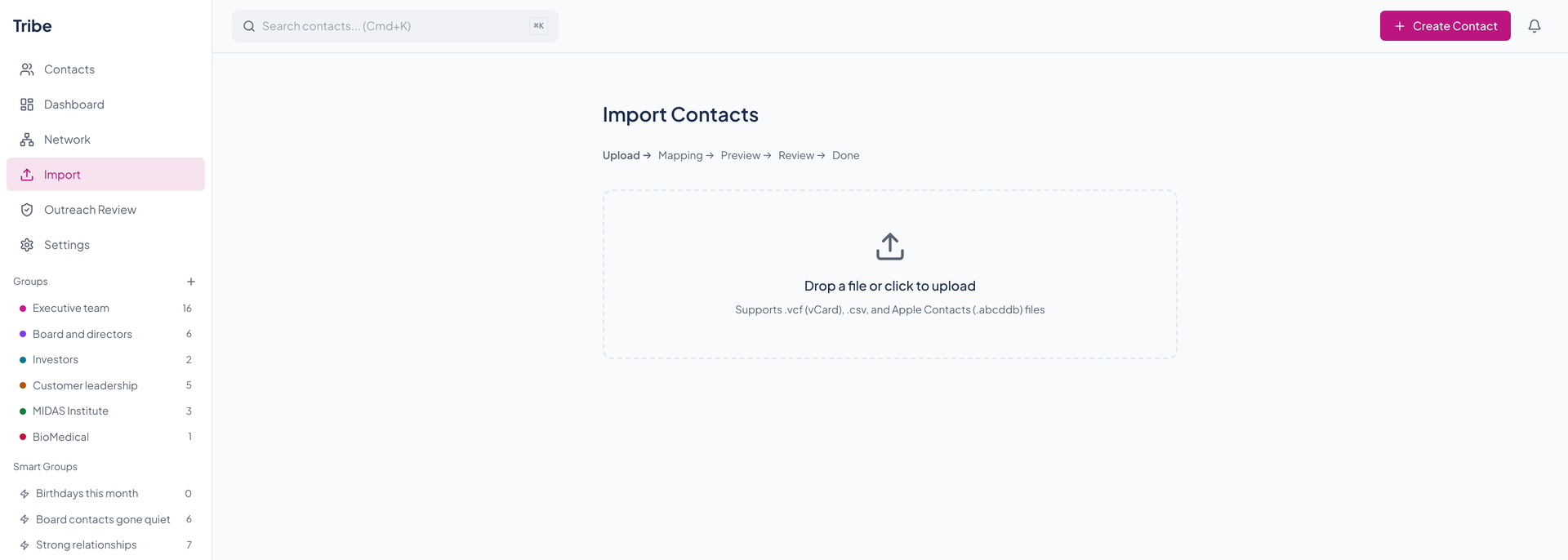
Duplicate matching on import uses the email address only. A skipped contact is not merged into the existing one.
Getting contacts out
Tribe exports every contact as a vCard or a CSV through its API, and an agent tool does the same. The web app has no export button yet.
A vCard export carries the decrypted sensitive notes, so treat the file as sensitive.
What Tribe does not connect to
There is no live connection to Google Contacts, iCloud, or Microsoft accounts: nothing syncs, and the External Contact Sync switch in Settings has no sync behind it. There is no LinkedIn or Outlook connection either. To bring those contacts in, export a file from the service and import it here.
The fleet's contact authority
Tribe is the fleet's contact book, so the tools that need to know who someone is ask Tribe instead of keeping their own copy.
Three lookups sit behind service tokens, the kind a tool uses to act for a user without a person signing in: autocomplete by name, lookup by email address or phone number, and a contact card. A request without a service token is refused.
| Tool | What it asks Tribe for |
|---|---|
| Courier | Matches an email address or a name to a contact, and fetches a contact card. |
| Slate | Searches contacts so you can pick who to share a list with. |
| Envoy | Looks up contacts, contact cards, and organizations for its accounts. |
| Beacon | Reads a contact's outreach permissions and relationship summary. |
| Chirp | Looks up contacts for its Tribe integration. |
| Cadence | Cadence's outreach bookings carry a Tribe contact ID, and Tribe has a client for fetching a person's meetings. |
Courier and Cadence also feed the timeline. See Relationships.
Outreach review
Tribe also holds the permission side of Beacon's marketing outreach. Outreach Review in the sidebar opens a page that asks for a workspace ID from Beacon and keeps it on that device; nothing shows until you enter one.
Creator decisions lists rows from an imported creator list and lets you create a new creator, link a row to an existing one, or reject it, after you confirm you checked the proof. Relationship permissions shows a contact's interaction evidence, creator affiliations, and re-consent evidence, and lets you change their outreach preferences, recording a reason and any re-consent evidence.
It has no screenshots here because it needs a Beacon workspace, which the demo book does not have.
Questions about this tool?
Write to Renkara Media Group and a person will answer.