
Who they are to you, and how it is going.
A profile says what you know about a person. The rest of Tribe is about the relationship: what has happened between you, who else is in the picture, and who you have not talked to in too long.
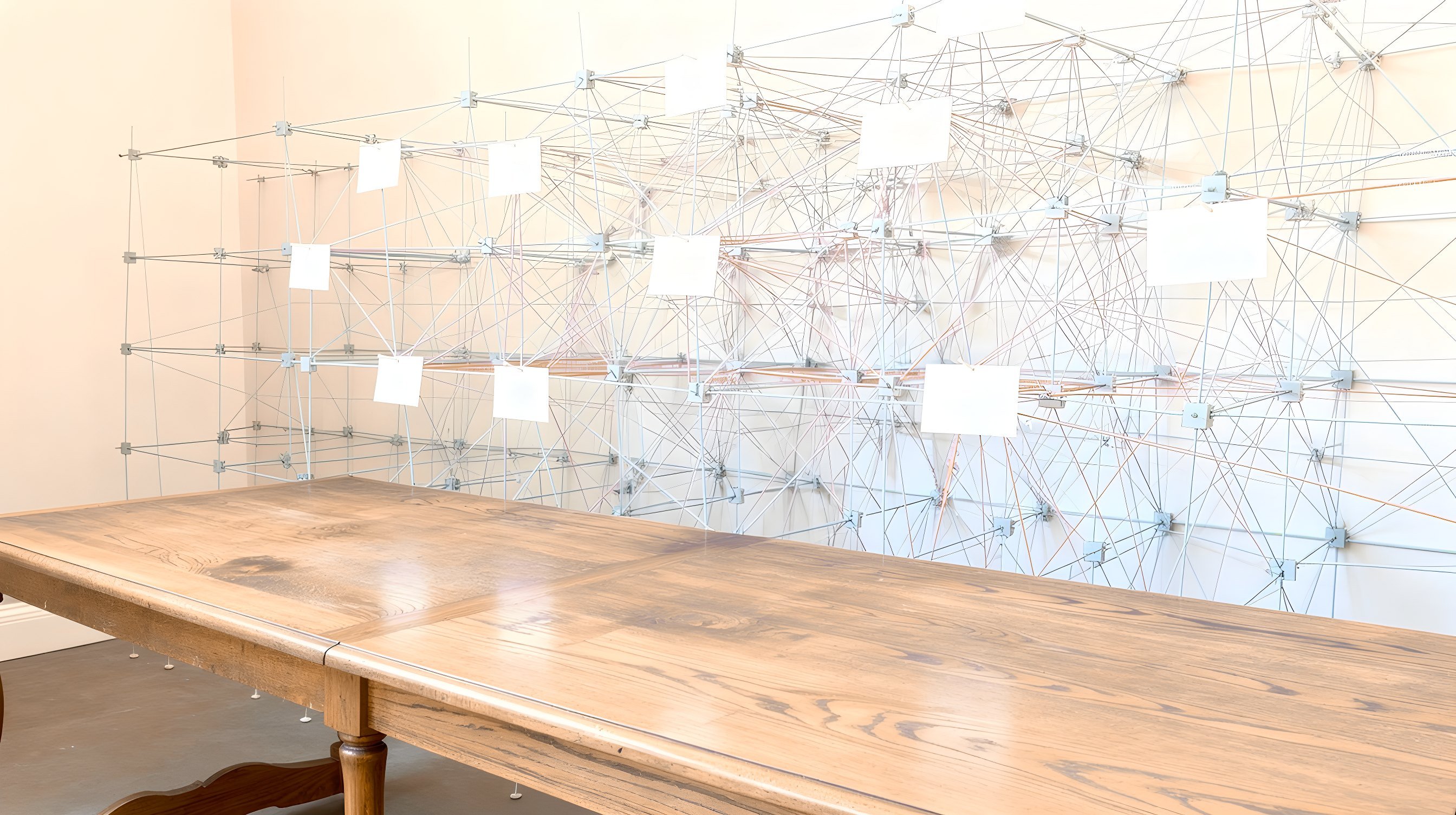
The timeline
Open a profile and pick Timeline. It lists, newest first, your notes and the email and meeting entries Tribe holds for that person.
- Filter buttons at the top show everything, only email, only calendar entries, or only notes.
- Each entry has a title, a snippet, who took part, and how long ago it was.
- Email and meeting entries are a copy Tribe keeps, not a live view of Courier or Cadence. They arrive when Courier or Cadence report an outreach event, or when someone runs the backfill that fetches a person's recent messages and meetings; nothing on a schedule does that yet.
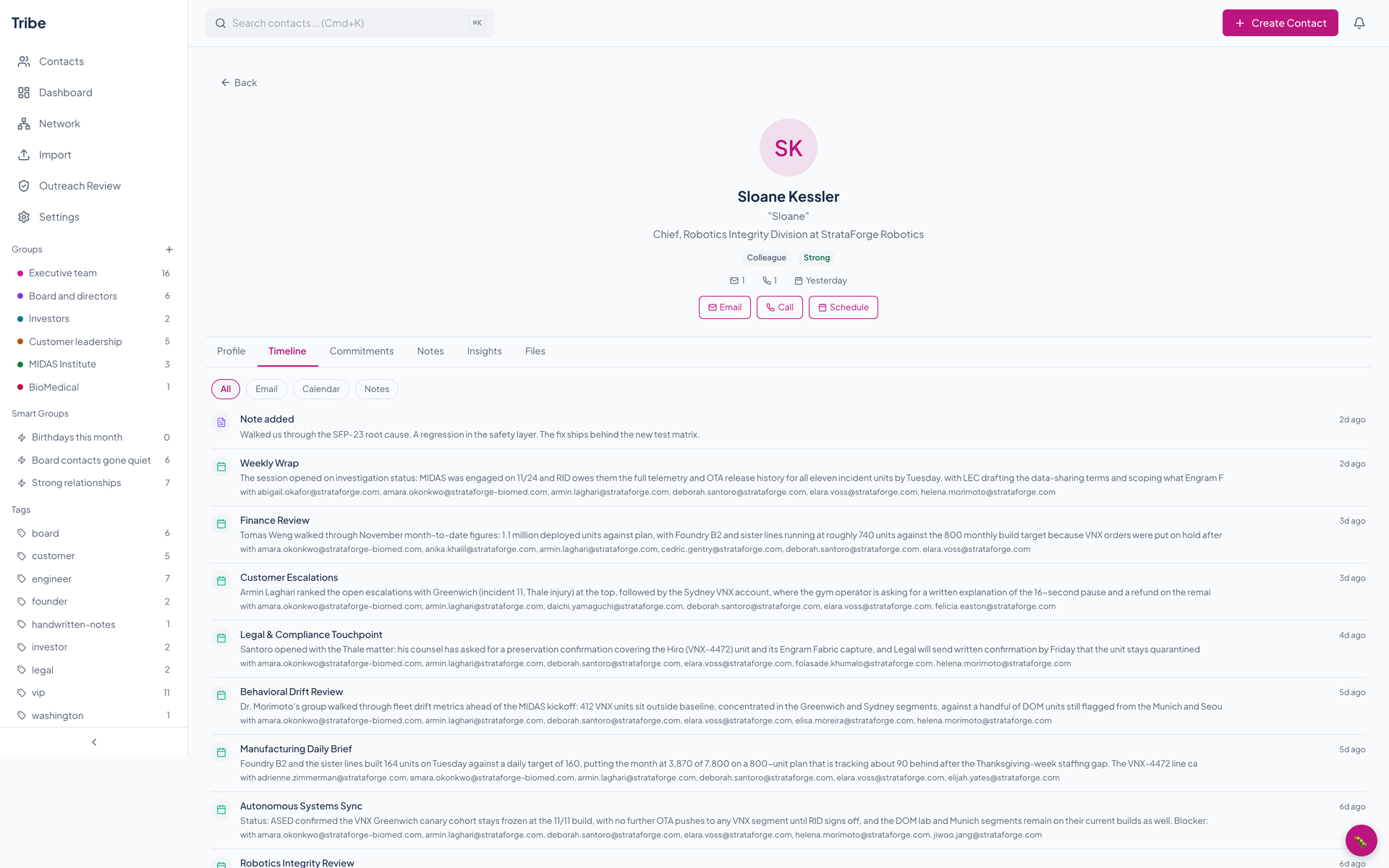
Notes
The Notes tab is a form and a list. Write a note, tick Pin to keep it at the top, and save. Notes show newest first after the pinned ones, and they appear in the timeline too.
Search does not read notes. It looks at names, nicknames, companies, a few interest fields, and the relationship notes field on the profile.
Groups, smart groups, and tags
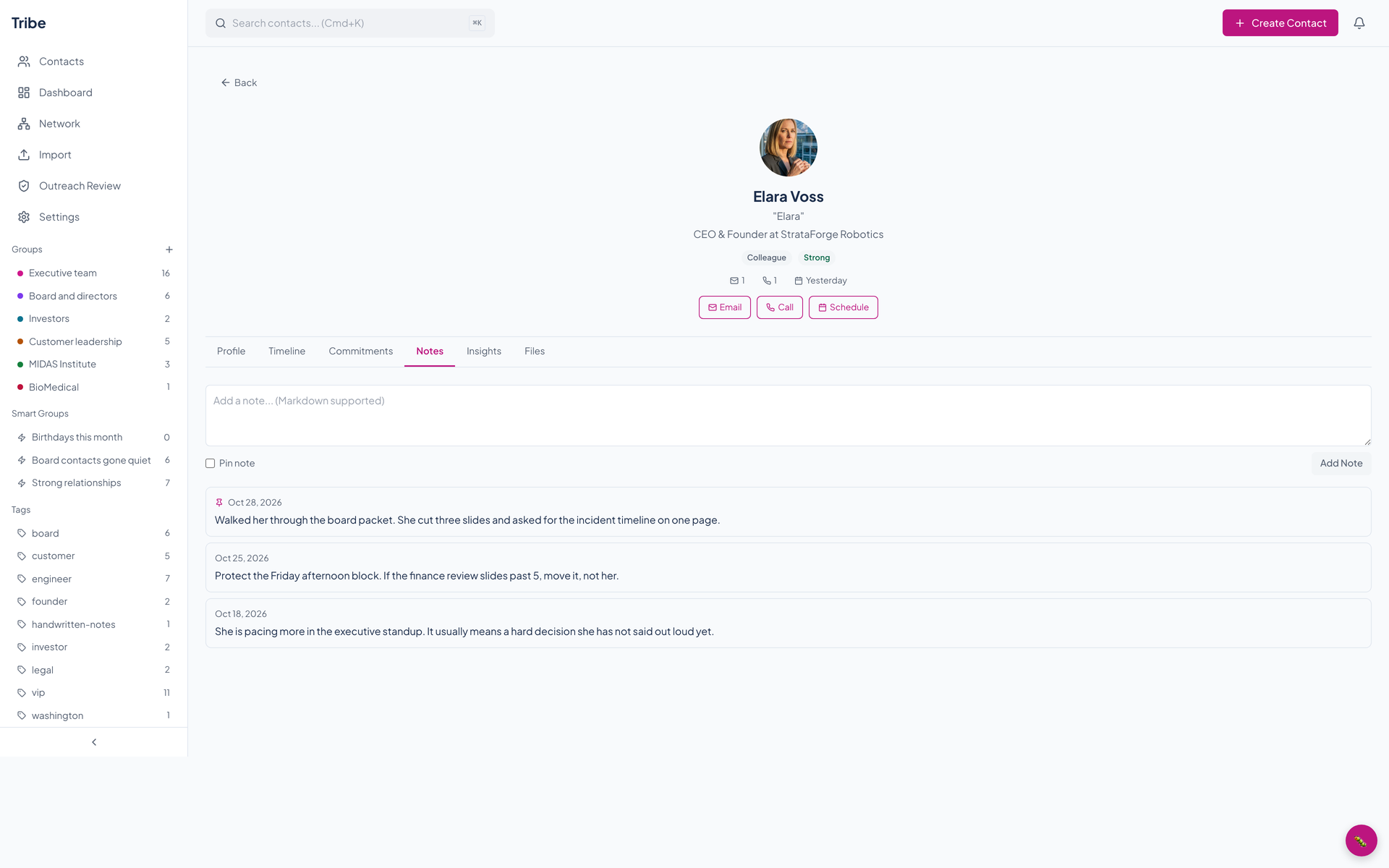
The sidebar lists your groups with their member counts, your smart groups, and your tags. The plus beside Groups makes a new group. A group can sit inside another group in the data.
A smart group is a saved search, written with the same operators as the search box. In the demo book they are birthdays this month, board contacts gone quiet, and strong relationships. The sidebar shows the count stored with each one; nothing refreshes that count or lists a smart group's members yet, so it can read zero.
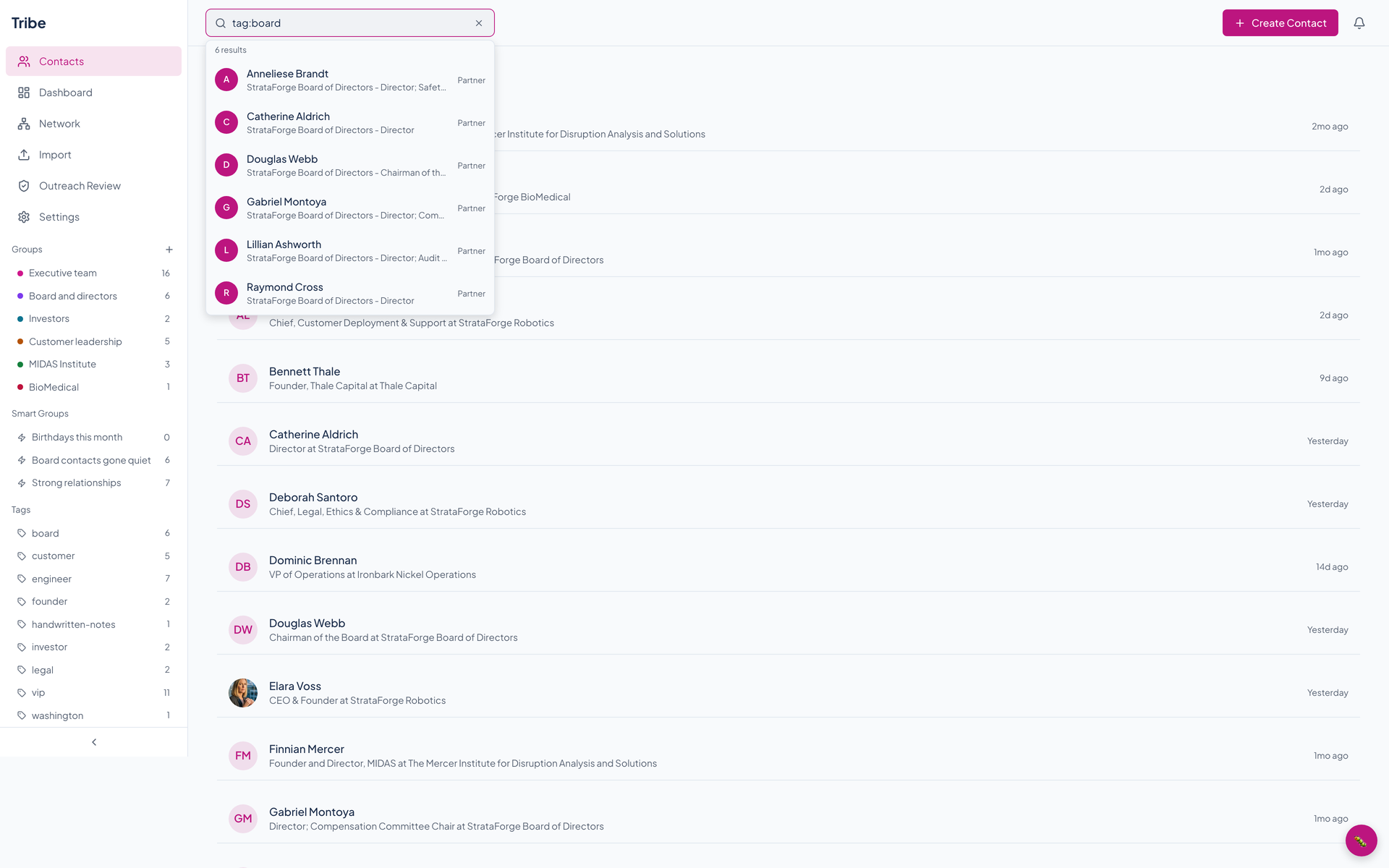
Today the sidebar only marks the group or tag you click. To list those people, search for tag:board, or ask the API or an agent tool. Adding people to groups works through the API and the agent tools; tagging and saving a smart group work through the API. None of them is in the web app yet.
Search, and ten operators
Press Control or Command plus K from anywhere, or click the box in the top bar. Type a name and matches appear under the box. Add operators to narrow it down, in any order, with or without other words.
| Operator | Finds | Example |
|---|---|---|
| company: | People whose company contains the text | company:"Thale Capital" |
| group: | Members of a group | group:"Board and directors" |
| tag: | People with a tag | tag:board |
| city: | People with an address in a city | city:Denver |
| relationship: | People of one relationship type | relationship:client |
| strength: | People at one relationship strength | strength:strong |
| completeness: | Profiles under or over a percentage | completeness:<50 or completeness:>80 |
| last_contact: | People you have not been in touch with for more than that many days, or ever | last_contact:>30d |
| birthday: | Birthdays in the next number of days | birthday:next30d |
| anniversary: | Anniversaries in the next number of days | anniversary:next30d |
Words that are not operators match the start, middle, or end of a name, nickname, company, interests, or relationship notes. Results are listed alphabetically by name.
The network graph
The Network page draws your contacts as dots and joins two of them with a line when they are connected: they were in the same meeting, on the same email thread, introduced by the same person, at the same company, or in the same group. Zoom in and out with the buttons or the mouse wheel, drag to pan, and filter by group or tag.
A background job computes the lines once a day, so a new connection appears the next day, not at once.
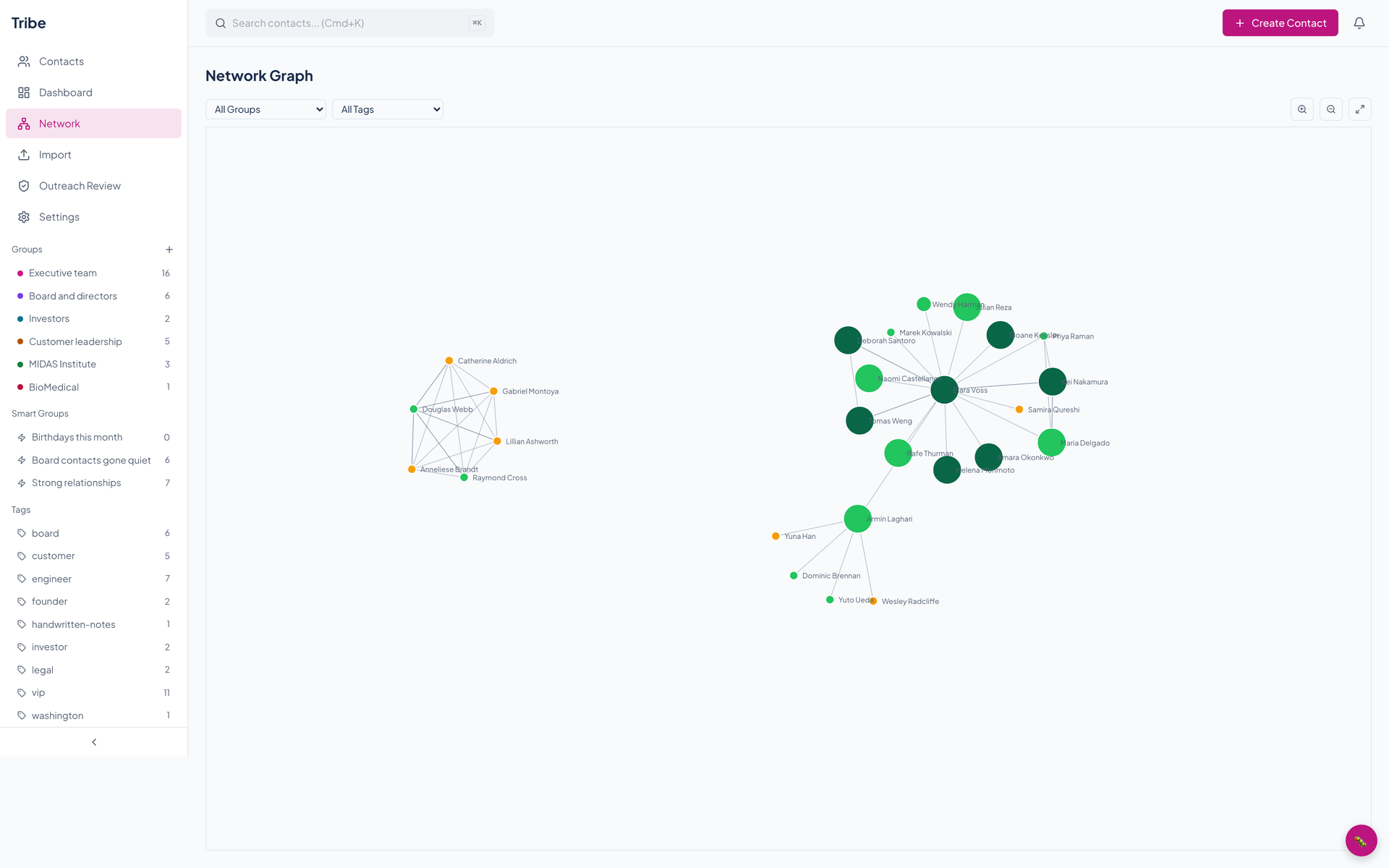
The graph is a single image to a screen reader, and its contacts cannot be reached from the keyboard. The list of contacts is the accessible way in.
The dashboard
The Dashboard page answers one question: who needs attention?
Relationship health
One colored tile for every contact, from strong to stale, in order of days since last contact. Each tile opens that person's profile.
Stale relationships
The people who have gone longest without contact, with the company and the number of days.
Upcoming dates
Birthdays and anniversaries coming up, counted from the dates on profiles.
Follow-ups
A count of open and overdue reminders, and the follow-up queue with what is due.
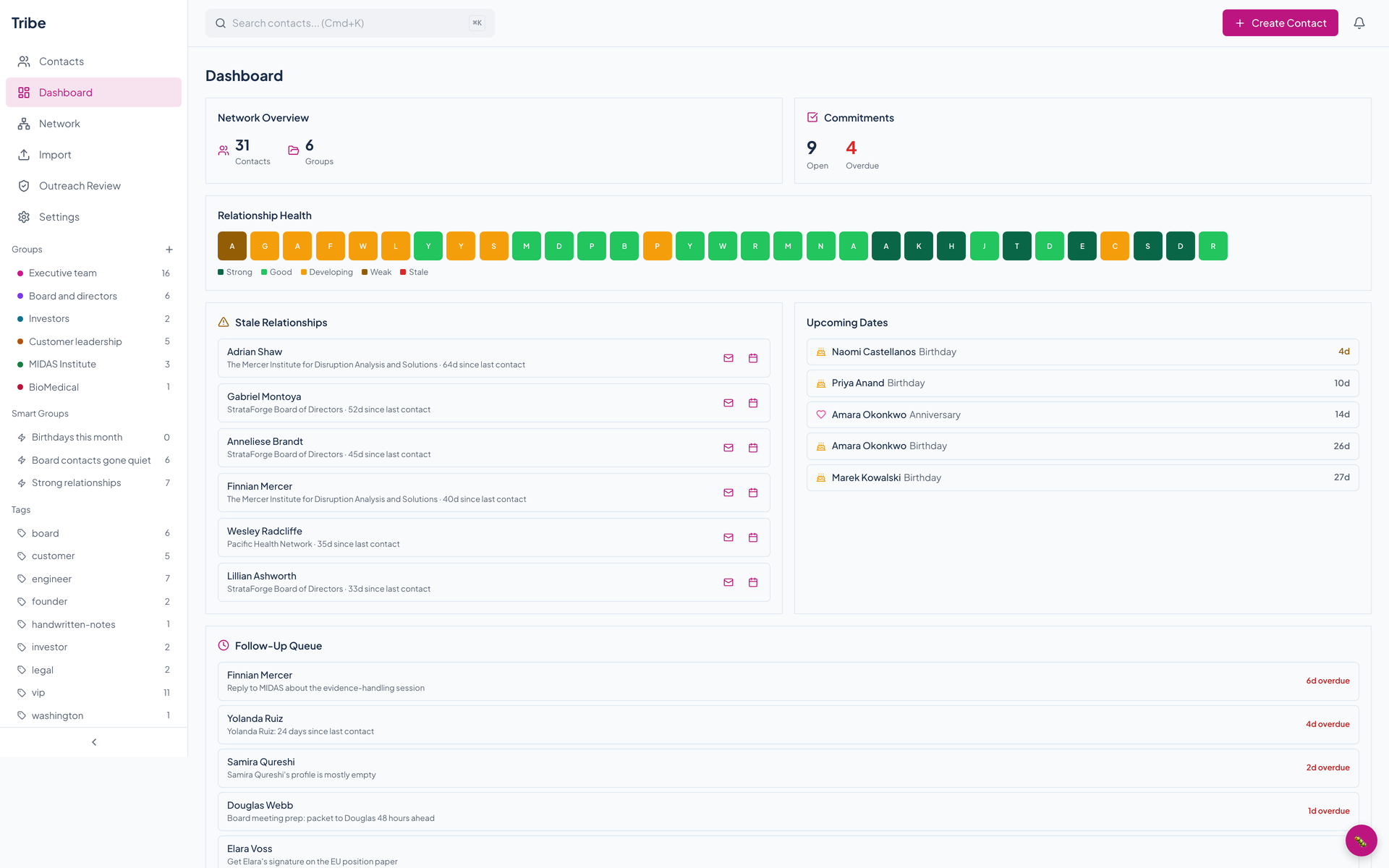
Days since last contact is a number stored on each contact. The daily job that would refresh it, and the one that would create birthday, anniversary, and stale-contact reminders, are placeholders today, so those figures show what was last recorded.
Questions about this tool?
Write to Renkara Media Group and a person will answer.